Use Case
Automating personalized development planning with AI

TL;DR
Built a system that turns an employee's development request into a personalized four-week learning plan, drawn only from the company's approved course catalog, with a manager approving before anything reaches the employee
Runs entirely on Microsoft 365 (Forms, SharePoint Lists, Power Automate, AI Builder, Approvals, Teams), requiring no new platform and no new licenses
The judgment sits in a plain-English prompt that anyone owning the process can read, test and change
Removes the per-plan production cost that limits development planning to the senior few, which is what puts full coverage within reach
Introduction
Many growing companies have no dedicated learning and development function. It is a slice of one HR generalist's job, or the Head of People's, or the COO's. There is often no LMS, or one bought for compliance and barely used.
Development planning in those companies tends to work the same way everywhere. A handful of people get a plan: the senior few, the recently promoted, the ones who asked. Everyone else gets a line in an appraisal form.
It is a common operational problem, and it has the shape that makes a process worth automating. The same work repeats for every employee, it calls for judgment each time, and its cost scales with headcount.
The problem
Writing one development plan is easy. Writing sixty is the problem.
Each plan costs someone an hour of thinking, and that someone is usually a first-time manager promoted for being good at the job, with no coaching training and no room in the calendar. What stops development planning is rarely budget. It is that the hour has to come from somewhere, and it comes from the same stretched people every time. Coverage is capped by production cost, and that cost is paid per person, so plans get rationed to those whose development someone is already watching.
A second failure mode sits underneath the first. The plans that do get written are frequently never opened again, which is why individual development plans have a reputation as a bureaucratic exercise. Producing them faster addresses only half the problem.
So we built an automation that produces the plan. The judgment that used to sit in a good manager's head gets written down once, then applied the same way for everybody.
The approach
The design started with the objections these teams raise.
Three objections come up reliably: the model will recommend something that does not exist or is not approved, employee data will end up somewhere it should not, and the automation is really there to remove the manager. Each is a design constraint, not a communications problem.
So the scope was drawn narrowly. The system automates the production of the plan and nothing else. It does not decide who should develop, does not assess performance, and cannot select courses the organization has not already approved. The reasoning step is constrained to a supplied catalog, a human approves every output, and the whole thing runs inside the organization's own tenant.
The solution
The system runs in four steps. An employee submits what they want to learn and how much time they have each week. The AI drafts a plan from the approved catalog. Their manager reviews it and approves. The plan lands in Teams and on a board the whole team can see.
Built as eight actions in Power Automate: Microsoft Forms for the request, SharePoint Lists for the catalog and the progress board, AI Builder for the reasoning step, native Approvals for the gate, and Teams for delivery. The catalog is a SharePoint list, not an LMS.
The reasoning step is a prompt, written as a page of plain English in a text box. No model training or fine-tuning is involved. These are the rules it runs on, word for word:
Stay within the employee's weekly time budget; show total minutes per week.
Sequence from foundational to more advanced across the weeks.
Prefer the employee's preferred formats where sensible.
Choose only items that appear in the library; use their exact titles and durations.
Keep the tone encouraging and practical.
Rule four is the one that answers the accuracy objection. The model is not asked to be careful about inventing courses; it is handed a list and told to pick from it. The rule can be read, tested and changed by whoever owns the process.
Writing those rules is where the work sits. They have to say what a good plan looks like precisely enough that the system reaches the same judgment every time.
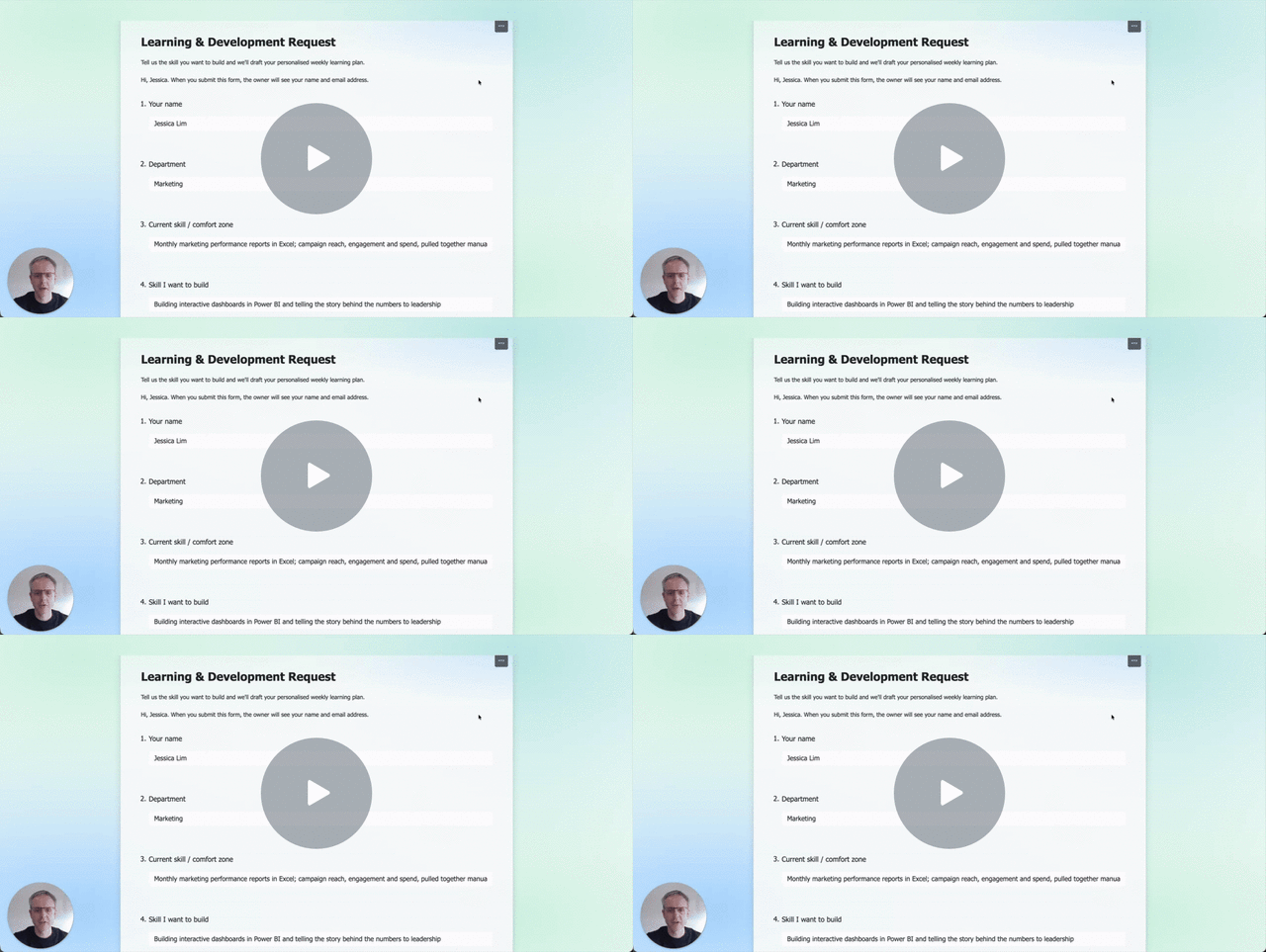
The system running end to end. The people and the catalog are samples.
In that run, an employee asked to build Power BI dashboards and tell data stories to marketing leadership, with two hours a week available. The plan came back at four weeks, with weekly totals of 100, 90, 80 and 85 minutes: every week inside the stated budget, all twelve items real entries in the catalog. Nothing was tuned after the fact. It is what the five rules produce.
Metrics and KPIs
These are the standard measures a People function would use to judge whether this worked. They are modeled here, not measured, and what they do in a given organization depends on its catalog, its managers and its headcount.
Development plan coverage. The percentage of staff with a current, documented, personalized plan. This is the measure the mechanism moves directly, because what caps coverage is production cost per plan. It is countable without an LMS and reportable in one line.
Learning participation rate. The percentage of employees with at least one active learning item. Relevance tends to lift it, and a plan built around a stated goal and a real time budget is more relevant than a catalog link.
Skills inventory coverage. The percentage of roles with structured skills data attached. Generating plans means structuring what people want to build against what the organization offers, so this accumulates as a by-product.
Internal mobility rate. The share of roles filled internally. Structured skills data is what makes an internal candidate visible in the first place.
Levy utilization rate (Malaysia). Levy claimed divided by levy contributed. Claiming against the mandatory HRD Corp levy requires naming specific employees and courses in advance, which is exactly what this produces.
Outcomes
Once this is running, development planning stops being something a handful of people get and becomes something the organization does for everyone.
That is a step change in coverage, and it changes what the function is for. Every employee has a current plan, including the people who would previously have gone without one. Managers spend their time on the conversation, because the document already exists and their job is to judge it. Plans stop dying in shared drives, because they land somewhere the whole team can see.
The People lead can put a number on how the organization is developing its people, which is the question a CEO actually asks. Underneath it, structured data on what people want to build accumulates as the system runs, so the next workforce decision has evidence behind it. In Malaysia, a levy accruing toward forfeiture becomes a funded program with names and courses attached.
Getting there takes no new platform, no extra headcount, and no change in what the organization already believes about developing its people. It takes removing the cost of writing the plan.
The pattern extends past this example. A constrained catalog, a written set of rules in plain language, and a human approval gate will fit a lot of processes, and most organizations are running several of them.
FAQ
What happens if the system recommends something inappropriate?
It selects from the catalog it is given, so it cannot produce a course that does not exist. A manager then approves every plan before the employee sees it. Two checks, one automatic and one human.
Where does the employee data go?
Nowhere new. The system runs inside the organization's own Microsoft 365 tenant on existing licenses, with no third-party learning platform involved. Employee records never leave the tenant.
How much of this is specific to Microsoft 365?
Not much. The same four steps can be built on Google Workspace or on a dedicated automation platform. Microsoft 365 was chosen because most organizations already pay for it.
Does this replace the manager?
No, and it is designed not to. What it removes is the production of the document, which is the part that was stopping the conversation from happening at all.